Introducing Datagrunt Studio: An Open-Source Workbench for Your Data Files
We are thrilled to announce that Datagrunt Studio is now open source and available on GitHub!
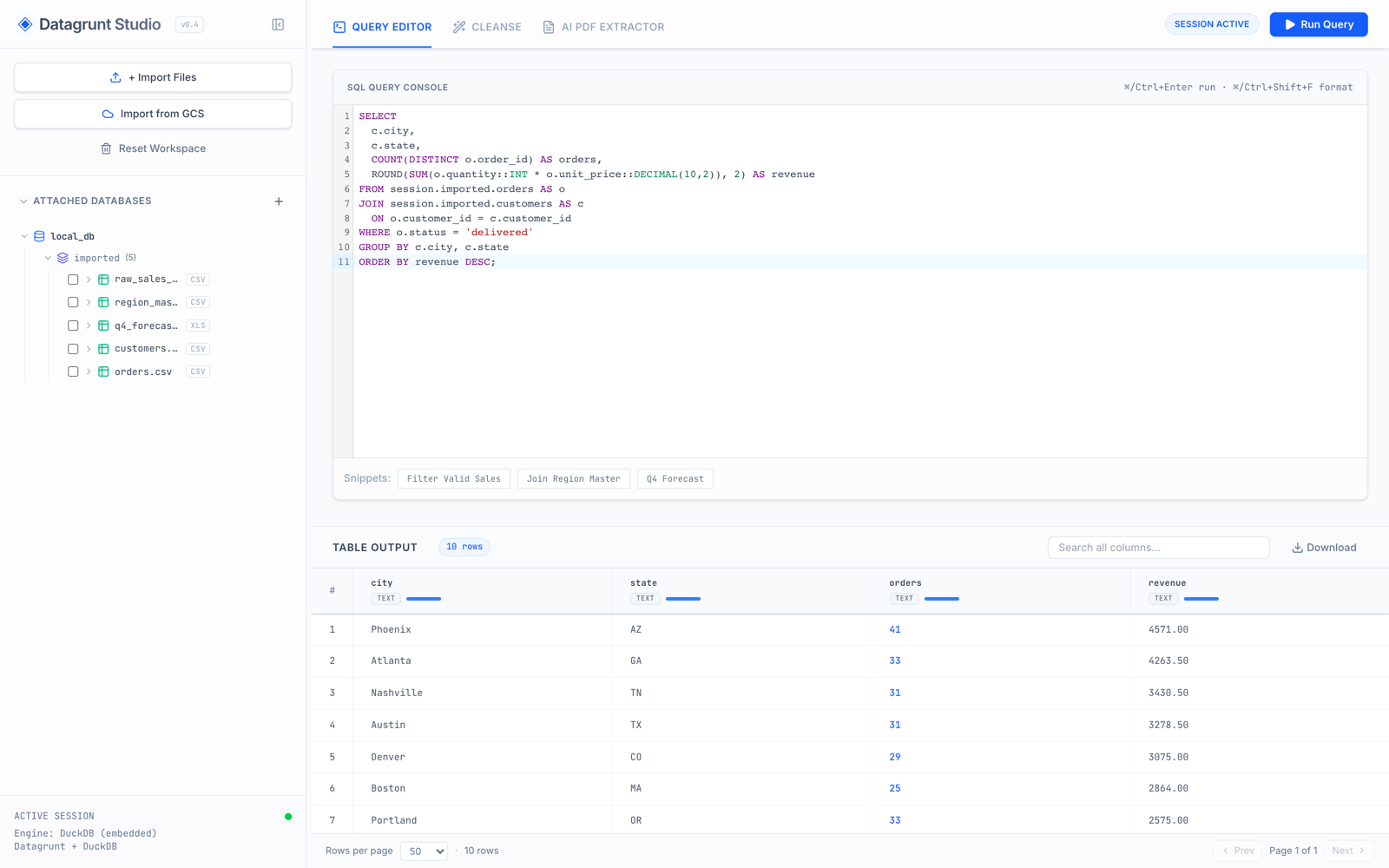
Datagrunt Studio is a web-based workbench for the everyday grunt work of data: exploring, cleaning, and joining CSV and Excel files. It pairs the Datagrunt Python library with an embedded DuckDB engine, wrapped in a fast, modern UI — and it runs entirely on your machine. No accounts, no cloud backend, no data leaving your laptop.
Why a Studio?
The Datagrunt library has always focused on one job: loading messy real-world files losslessly and getting them into a dataframe or DuckDB with zero boilerplate. But not every task starts in a Python session. Sometimes you just have a folder of CSVs and questions: What’s in these files? Do the keys line up? How many duplicates am I dealing with?
Datagrunt Studio is that missing front door. Drop files in, see them as queryable tables seconds later, and work with them the way a data engineer would — with SQL, visual cleansing pipelines, and full control over types.
What’s in the Box
Import with confidence
Import one file or many at once, from your machine or straight from Google Cloud Storage. Before anything is committed, Studio stages each file and shows you exactly how it will be parsed — with per-file controls for skipped preamble rows, header detection, Excel worksheet selection, target schema, and optional column-name normalization.
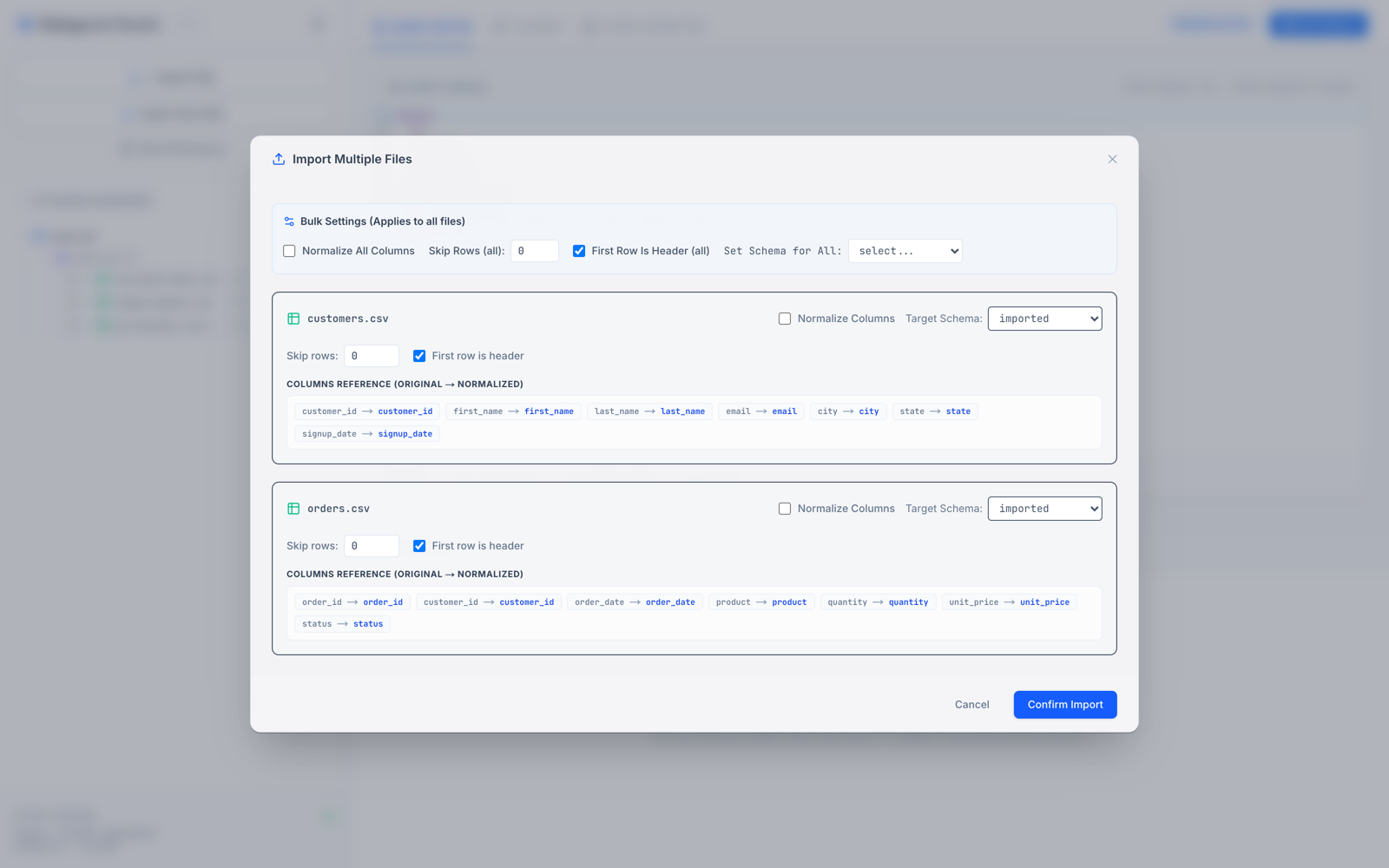
Behind the scenes, Datagrunt does what it does best: sniffing delimiters and parsing losslessly, so nothing is silently coerced or dropped on the way in.
Explore and join with DuckDB SQL
Every imported file becomes a table in an embedded DuckDB session. The SQL console gives you syntax highlighting, schema-aware autocompletion, formatting, and one-keystroke execution — and the results grid supports search, pagination, and instant download. Joining a ragged export against a reference file is a JOIN away, no notebook required.
Cleanse visually, commit deliberately
The Cleanse tab turns common cleanup work into a pipeline you can see: deduplicate rows, drop or fill nulls, rename columns, and cast types, all with a live preview of the transformed table. When it looks right, commit the result as a new table — your original import stays untouched.
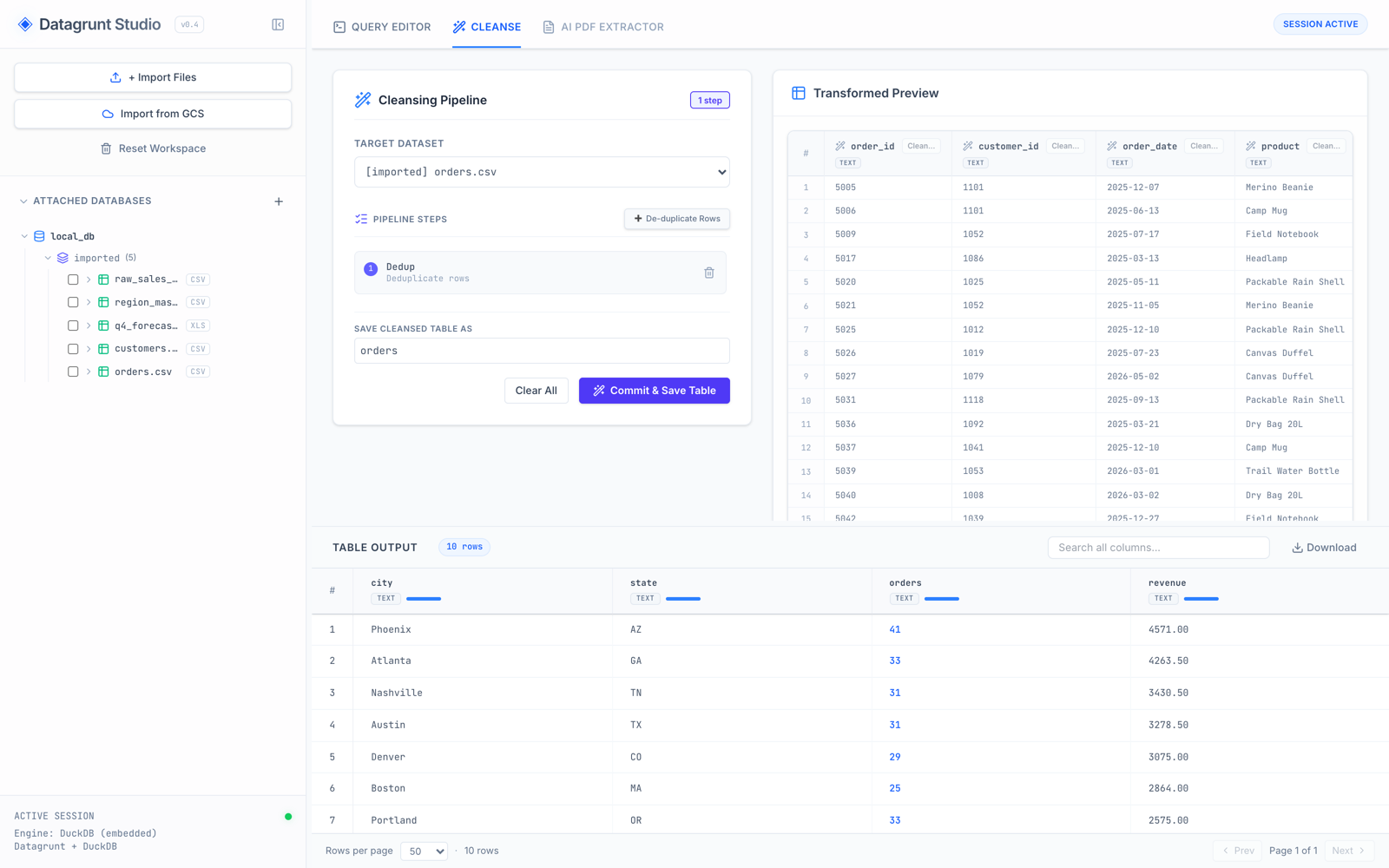
This reflects a design principle we care about deeply: load losslessly, transform explicitly. Columns arrive exactly as they appear in the file, and type conversion happens when you decide it should — in the open, not inside a parser’s guess.
Extract data from PDFs with AI
The AI PDF Extractor turns documents into data in two deliberate steps.
Step 1 — Extract. Datagrunt’s layout engine parses the PDF into raw structured JSON — every text element, table, and position, with confidence scores — plus a markdown rendering and full-page images. No AI is involved yet: this step is deterministic, and the raw layout lands in your session’s documents schema, already queryable.
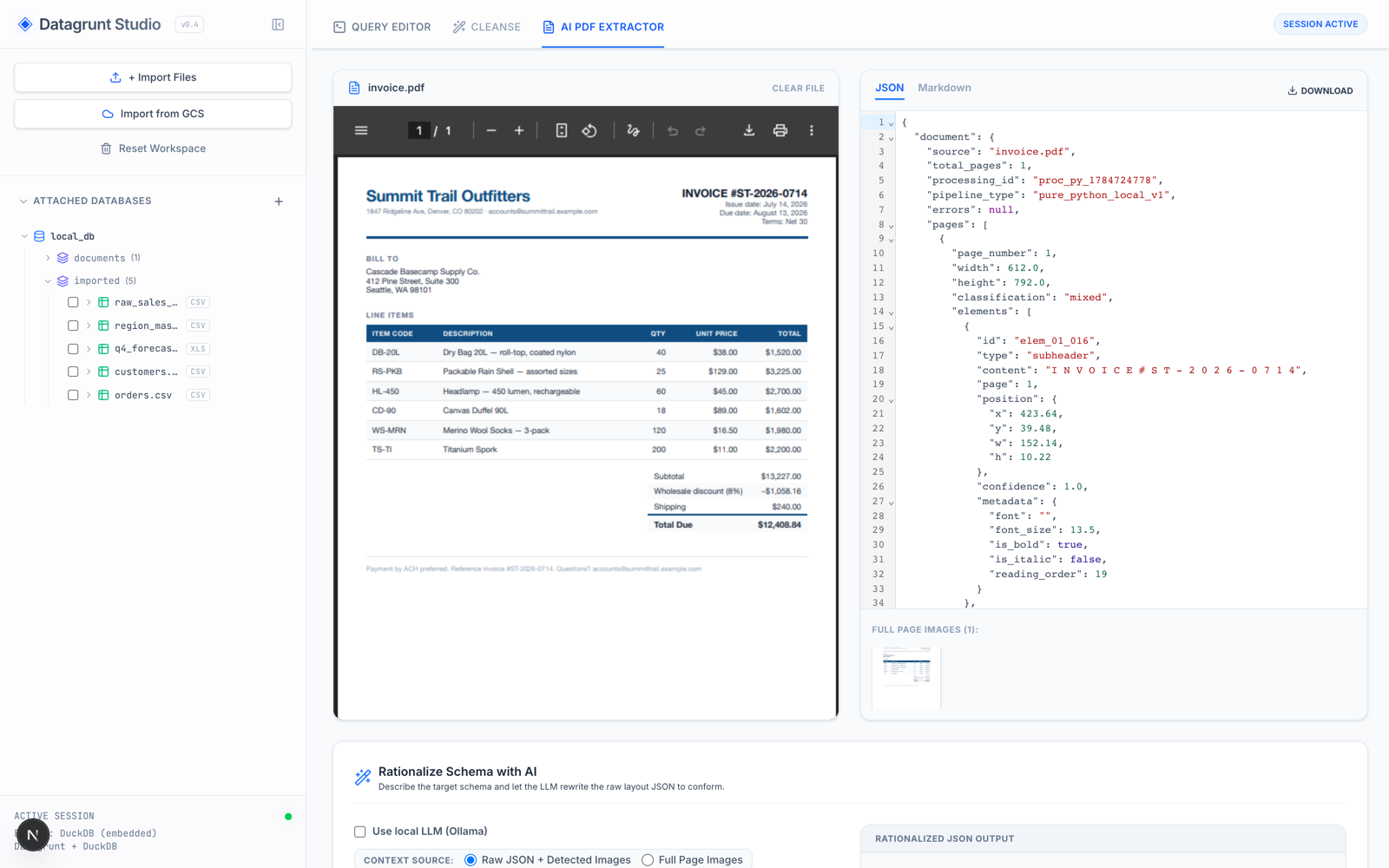
Step 2 — Rationalize. Raw layout JSON is faithful, but it isn’t the table you actually want. Describe your target schema in plain language — “extract the line items into a flat table with these fields” — and an LLM rewrites the extraction to conform. The result is saved to the rationalized schema as a clean table, ready to join against everything else in your session.
And you choose where that LLM runs:
- Google Cloud — Gemini models via an API key, or through Vertex AI using your Application Default Credentials.
- Fully local — check Use local LLM (Ollama) and pick any model you have pulled. Your document never leaves your machine.
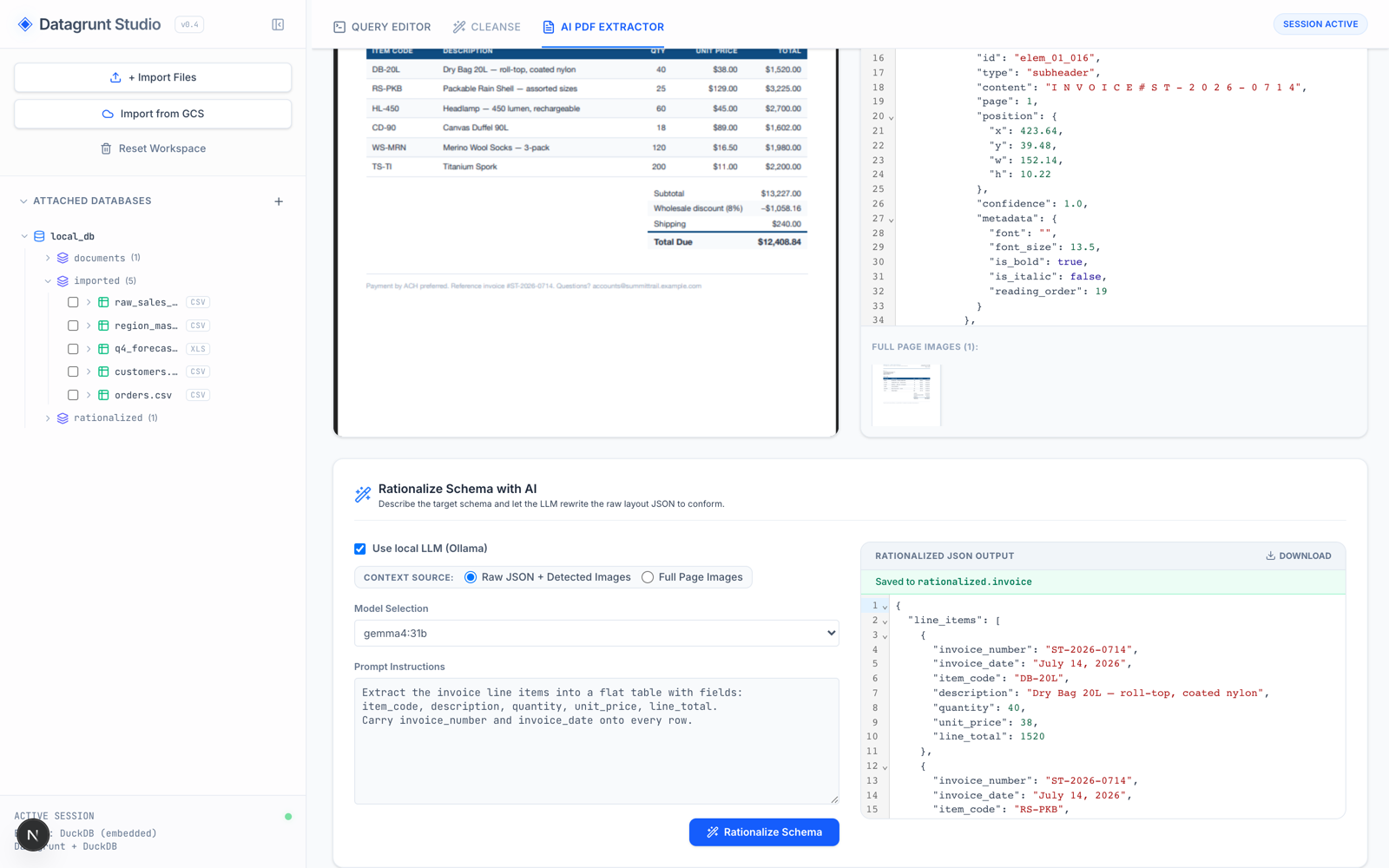
The screenshot above is the local path end-to-end: a Gemma 31B model running on-device via Ollama, restructuring the invoice into typed line items and saving it as rationalized.invoice — no cloud round-trip involved.
Export anywhere you need it
Send results back out as CSV or Parquet locally, or export CSV, Parquet, or JSON directly to Google Cloud Storage.
How It’s Built
Studio is a Next.js frontend talking to a FastAPI sidecar that wraps the Datagrunt library and DuckDB. The backend is deliberately a single-user, loopback-only companion process: your session’s tables live in a local DuckDB file, and nothing is ever sent anywhere unless you explicitly export it.
Getting Started
Clone the repo and bring it up with containers — make up works with Apple Container on macOS or Docker anywhere else:
git clone https://github.com/pmgraham/datagrunt-studio.git
cd datagrunt-studio
make build
make up   # UI at http://localhost:3000
Prefer to run it directly? The README covers local development with uv and npm in two terminals.
Datagrunt Studio is MIT-licensed, and contributions are welcome — issues, ideas, and PRs alike.
Enjoy the release, and happy data engineering!